How to Edit a Local Video with Claude and Modisign
By Modisign
- Published
- Updated
- Last tested
Yes, for footage you already have. Add Modisign's local MCP server to Claude Desktop, then ask Claude to trim your clips, add a title, generate English captions and save a vertical MP4. Rendering happens on your computer and a free edit needs no Modisign account. The tools do not create footage or look at pictures, and your prompts, file paths and titles are visible to Claude's provider. You need Node 22+ and FFmpeg.
What did we test, and what did we not?
We tested the published npm package @modisign/mcp 0.5.1 on macOS on October 23, 2026. We could not drive Claude Desktop here, so a small script played the client's part: it launched the package over stdio, listed its tools and made the calls shown below. No model chose these arguments and nothing here ran on Windows. A real assistant will pick its own parameters from your sentence, which is why the exact request and the file check matter more than the chat.
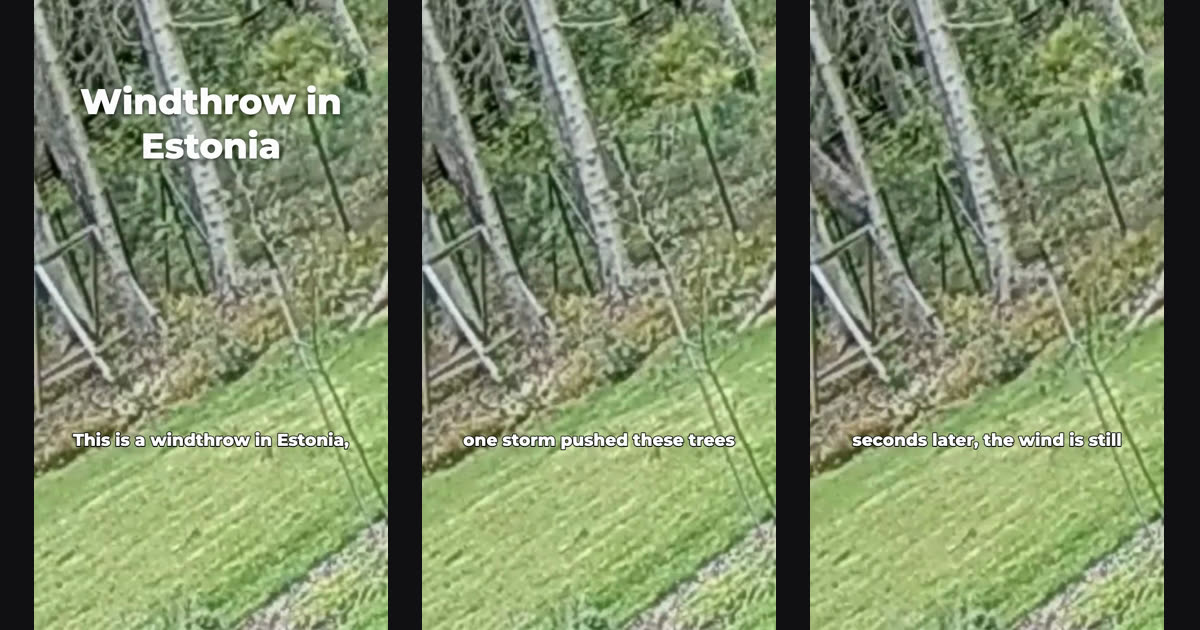
The footage is two six-second cuts of a CC0 clip of a windthrow in Estonia by Sillerkiil. We added synthetic speech made with the macOS say command, so the captions come from a generated voice, not a real speaker.
What do you need before you connect Claude?
You need Claude Desktop, Node.js 22 or newer and FFmpeg with ffprobe on your PATH, per the Modisign MCP page. On a Mac, brew install ffmpeg installs FFmpeg. The first render downloads a private render browser of roughly 100 MB once, and the first captions download an English speech model of about 43 MB once. We did not see the browser download because it was already present.
Check the setup before opening Claude:
npx -y @modisign/mcp doctor
On our machine the report read node_ok: true, FFmpeg 7.1.1, The private render browser is ready., reachable: true and signed_in: false. With FFmpeg removed from the PATH it returned FFmpeg is missing. Install it with: brew install ffmpeg.
How do you add Modisign to Claude Desktop?
Claude Desktop reads local servers from a JSON file, as the official MCP guide describes. We could not run these steps, so they come from that guide and Modisign's setup text, not from our test.
In the Claude menu, choose Settings..., then Developer, then Edit Config. On macOS the file is
~/Library/Application Support/Claude/claude_desktop_config.json; on Windows it is%APPDATA%\Claude\claude_desktop_config.json.Add the Modisign entry:
{
  "mcpServers": {
    "modisign": { "command": "npx", "args": ["-y", "@modisign/mcp"] }
  }
}
Quit Claude Desktop completely and open it again. The guide says a restart is required.
Open the connectors menu in the message box, choose Manage connectors and confirm modisign lists its tools. Our scripted client saw 11 tools, including
edit_video,get_transcript,job_status,cancel_job,account_statusandlogin.Approve each tool call when Claude asks. The guide says actions need your explicit approval.
How do you ask for the edit?
State the order, the trims, the title, the captions and the output name. Do not ask Claude to guess what a clip shows. Modisign does not look at pictures, so a description comes from you or from a transcript you request.
Use these two local clips in this order: windthrow-one.mp4, then windthrow-two.mp4 (both are a windthrow in Estonia). Trim the first to its first 4 seconds and the second to 4.5 seconds. Make a 720p 9:16 MP4 with the title "Windthrow in Estonia" at large size near the top for 2 seconds, and Clean English captions at the lower position. Save it as windthrow-reel.mp4 without overwriting anything. Show me the transcript first so I can correct it.
The transcript step is a separate action, get_transcript. It returned three lines for our first clip, including two misheard phrases, "wind throw" and "once Storm". Those lines go to the assistant, which is why the tool says to call it only when you want to review them. We then sent corrections inside the edit. This is the effective edit_video request, with the real paths replaced:
{
  "clips": [
    { "path": "/Users/me/Movies/windthrow-one.mp4", "track": "v1", "in": 0, "out": 4 },
    { "path": "/Users/me/Movies/windthrow-two.mp4", "track": "v1", "in": 0, "out": 4.5 }
  ],
  "texts": [{ "text": "Windthrow in Estonia", "start": 0, "duration": 2, "y": 0.2, "size": "l" }],
  "captions": {
    "style": "clean", "position": "lower", "size": "m",
    "corrections": [{ "from": "wind throw", "to": "windthrow" }, { "from": "once Storm", "to": "one storm" }]
  },
  "aspect": "9x16",
  "quality": "720p",
  "output_path": "/Users/me/Movies/windthrow-reel.mp4"
}
Every clip needs track; v1 clips play in list order. The call returns a job id at once, and job_status reports queued, preparing_captions, rendering and done. Ours finished about 10 seconds after submission and the done report carried the saved path, size and duration.
What did the saved file contain?
We opened the MP4 with ffprobe and extracted frames. It was 720x1280 H.264 at 30 fps, 255 frames over 8.5 seconds, with stereo AAC at 48 kHz, so the 4 and 4.5 second trims added up. The title was on screen at 0.1 and 1.9 seconds and gone at 2.2 seconds. Captions read "windthrow" and "one storm", so both corrections applied. Decoded audio averaged about -16 dB in each half, which shows speech from both clips survived; it does not replace listening.
A first render used the default title size and saved windthrow-reel.mp4. Rendering again to the same output_path saved windthrow-reel-2.mp4, because Modisign publishes files without overwriting.
Which parts are free, and which need Pro?
Local edits that use only free features need no Modisign account and no sign-in, unlike browser Studio, which asks for a free Google sign-in. Our edit ran signed out.
| Request | Cost |
|---|---|
| Trims, order, Fill or Fit, volume, fades, transitions, pause removal, up to 180 seconds | Free |
| Plain titles, footage and title motion, Rapid intro, built-in sound effects | Free |
| Clean, Boxed or Minimal captions with no styled words, 1080p or 720p | Free |
| Overlays that match a free preset unchanged | Free |
| Edited or Pro overlays, a non-identity motion key on an overlay | Pro |
| Eleven expressive caption styles, including Mixed, and styled words | Pro |
| A title with a reveal or placed behind a person | Pro |
Pro is $9 a month plus applicable tax. Signed out, our Mixed caption request and our title reveal request were each refused before any job existed. The reveal refusal read: "This edit uses a title effect (reveal or behind person), which needs Pro. Sign in with the login tool or run npx -y @modisign/mcp login". The login tool returned an approval link and a ten-minute code; we did not approve it, so the signed-in path is untested. Current Pro is checked live each time.
What stays on your computer, and what does Claude see?
Modisign never receives your video, photos or audio. It receives overlay settings, the caption style and yes/no facts needed for the Pro check, per the MCP page. Your assistant provider sees more: your prompt, every tool argument, including file paths and title text, the job results and any transcript you asked for. The page says this happens under the provider's own policy.
So this is not an offline workflow. The package contacts modisign.app to check access, and the assistant needs its own connection. Only your footage stays local.
What goes wrong, and how do you fix it?
| Problem | Check | Fix |
|---|---|---|
| Modisign missing in Claude | JSON syntax, full restart, logs in ~/Library/Logs/Claude (macOS) |
Fix the file and quit Claude completely. Run npx -y @modisign/mcp in a terminal to see the error. Documented, not tested here. |
| FFmpeg missing | doctor showed ffmpeg_missing |
Install FFmpeg so it is on the PATH Claude uses, then restart Claude |
| Node too old | node --version |
Install Node 22 or newer. Documented, not tested here. |
| First render is slow | job_status state |
A one-time browser download of roughly 100 MB. Documented, not observed |
| "Media path does not exist." or "Media paths must be absolute." | The path in the request | Give a full path to an existing file |
| Wrong caption words | get_transcript output |
Add captions.corrections and render again |
| A refusal that mentions Pro | The Pro rows above | Use a free setting, or sign in with login |
Output file has a -2 suffix |
Existing file at that path | Expected: nothing is overwritten |
| A job seems stuck | job_status progress |
Use cancel_job, then retry. Jobs last only while the server process runs |
Where should the title and captions go?
These are suggestions, not test results. Put a hook title in the first one to two seconds so it is read before the first cut, and keep captions in the lower position unless the title sits low. For platform margins, read the safe-zone guide. If a clip has long gaps, ask for pause removal as described in how to remove pauses.
For the same captions in a browser tab, see free captions in Studio. For the browser-only route and its network boundary, see editing without uploading. To add a prepared animated element instead of plain text, browse the hook-title overlays; our test did not use one.
What are the limits?
The tools edit up to 300 clips and 180 seconds in total. We tested one short vertical edit with two clips and synthetic speech, not a long recording or a noisy voice. We tested neither Windows nor Linux; Modisign says macOS is the tested platform. Free designs are licensed for your own channels, and client work needs Pro under the licence terms.
Frequently asked questions
Can Claude generate a video for me with Modisign?
No. Modisign's tools edit footage that already exists on your computer: trims, order, titles, captions, sounds and overlays. They do not create new footage.
Does Claude watch my clips?
No. Modisign's tools do not look at pictures, so tell Claude what each clip shows. The only text taken from your media is the transcript, and only when get_transcript is called.
Do I need a Modisign account?
Not for an edit that is free under the usual rules: no Pro overlay, no expressive caption style and no title reveal or behind-person effect. Anything else asks you to sign in and needs Pro.
Is my video uploaded to Modisign or to Claude?
Modisign never receives your video, photos or audio. Your prompt, the tool arguments (including file paths and title text) and any transcript you ask for pass through your assistant provider under its own policy.
Related reading
Sources and test details
- Claude Desktop reads mcpServers from claude_desktop_config.json (Settings, Developer, Edit Config), needs a full restart, lists servers under Connectors, asks for approval before actions and writes MCP logs under ~/Library/Logs/Claude on macOS and %APPDATA%\Claude\logs on Windows. — accessed
- Modisign MCP needs Node 22+ and FFmpeg with ffprobe, downloads a render browser and a roughly 43 MB speech model once, renders on your computer, sends Modisign only overlay settings and caption style, lets the assistant provider see tool arguments and local paths, and was tested on macOS only. — accessed
- The test footage is a windthrow in Tammneeme, Estonia, 2020 by Sillerkiil, released under CC0 1.0. — accessed
Tested in Modisign MCP (npm package @modisign/mcp) Published package 0.5.1, Modisign site as of October 2026 on macOS on Apple silicon with Node 24 and FFmpeg 7.1.1, driven by a scripted MCP client over stdio: On October 23 ran doctor, listed the 11 tools, called get_transcript on a 6-second clip with synthetic English speech, then called edit_video with two local clips (explicit track v1, trims of 4 and 4.5 seconds, a basic title, Clean lower captions with two corrections, 9:16, 720p) and polled job_status through queued, preparing_captions, rendering and done in about 10 seconds. The saved MP4 was 720x1280 H.264 at 30 fps with 255 frames, stereo AAC at 48 kHz, 8.5 seconds, 3.3 MB; frames showed the title for the first 2 seconds and captions from both clips, and decoded audio averaged about -16 dB in both halves. A repeat render to the same path saved a second file instead of overwriting. Signed out, a Mixed caption request and a title reveal request were each refused with the sign-in message and produced no file. Not tested: Claude Desktop itself, a model choosing the arguments, Windows, Linux, Pro sign-in approval, a first-time render-browser download, Node older than 22. Arguments were written by hand, usage counts were turned off, and the speech was synthetic.
Found an error or a changed control? support@modisign.app.