
















Skip to content
modisign

Free or Pro

One price. Every overlay.

Freelancer

Usually $50–150 per clip

Agree the price for your brief.

After Effects

$22.99/mo

US annual plan, billed monthly.

$9

/ month · all overlays

plus tax where applicable

Cancel anytime · 30-day refund

Flip it to Pro.

Change the text, palette, size and position with Pro.

Sample footage. Your clip comes on a green screen: remove it with chroma key in your video editor.

Your editor

As it is
  • TextRequires Pro
  • LookRequires Pro
  • ColorsRequires Pro
  • Size & positionRequires Pro
  • Transparent backgroundAvailable

Underline punch hook · Cyan · Original size

Free overlays download unchanged. Pro exports your edits.

Background and format are always yours to choose. Transparent downloads work on desktop.

Free overlays. Pro customization.

Start with a free overlay, or edit your whole video in Studio. When you want a catalog animation with your own text and look, Pro lets you download that version.

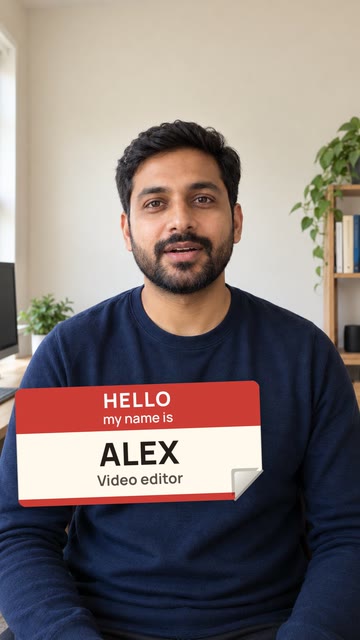
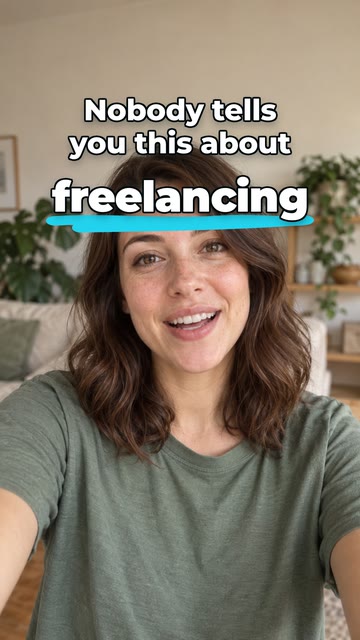
Free hook title as it is: "Nobody tells you this about freelancing" in white with a cyan underline over a creator in a living room
Free: this exact look
The same hook title as a Pro configuration: "I won this ranked round with 1 HP" under a VALORANT tag over a creator in a gaming room
Pro: your own words

Free

Make your next video, or try a free finishing touch.

$0/ month

  • Every overlay marked Free, unchanged
  • Use free overlays on your own channels, monetized too
  • Studio: cuts, photos, basic titles, motion, split screen and sounds
  • On-device English captions; Clean, Boxed and Minimal without manual styling
  • 1080p or 720p MP4, no watermark, subject to the export rules below
Browse free overlays

Make a video for free in Studio. Free with Google sign-in.

Pro

Recommended

Export the animated look you made your own.

$9/ month + tax

  • Every overlay with your text, look and styling
  • Overlay motion, expressive caption styles and manual caption styling
  • Title reveal and Behind person exports
  • Commercial overlay licence for client work, ads and brand content
  • Save up to 100 Studio projects

By subscribing you agree to the Terms and Refund Policy.

Exactly what needs Pro

Overlays marked Free download unchanged, without an account or watermark. Background and Format can change. Other configurations need Pro to download. Studio editing, basic titles with your own words, footage/title motion, split screen and sounds are free. Pro export is needed for Pro overlay configurations, customized overlay motion, expressive or manually styled captions, and title effects. Saving projects is Pro.

Everything, at a glance.

Compare Modisign Free and Pro plans
Your toolkitFreeProEvery overlay. Yours.
Download free overlaysIncludedIncluded
Download edited textNot includedIncluded
Download edited looks and colorsNot includedIncluded
Download edited size and positionNot includedIncluded
Transparent WebM on desktopIncludedIncluded
Every overlay in the catalogFree ones only✓ All
Download historyNot includedIncluded
Sign-inNo account for free overlay downloads; Google for StudioGoogle
Price$0$9 a month + tax

Free overlays let you choose background and format. Transparent download is a desktop feature; on touch devices, use green screen. Pro overlay downloads try to save their settings in your account; Studio exports never enter history.

Paddle is the merchant of record

Tax, receipts and invoices handled by Paddle.

Cancel anytime

Open Paddle’s customer portal from your account page.

Secure checkout

Paddle’s overlay takes payment. We never see your card details.

Questions, answered

What can I use for free, forever?

There is no trial timer on Free. Overlays marked Free download unchanged, without an account or watermark. Background and Format can change. Other configurations need Pro to download. Previewing edits is free. We may add, change or retire overlays.

What happens to my downloaded clips if I cancel?

Clips exported while Pro was active keep their commercial licence after you cancel, including for client work. New exports after Pro ends follow the free licence for unchanged free overlays on your own channels, including monetized posts. Read the licence terms.

How do I cancel Pro?

Open your account page and use the billing link to Paddle’s customer portal. You can also follow the link in your Paddle receipt or email support. Cancel anytime: future charges stop, and Pro stays active until the end of the month you have paid for.

Can I get a refund?

Yes. Ask within 30 days of any Pro payment, including a renewal, for a full refund. Use the support link in your Paddle receipt, paddle.net, or email support@modisign.app from the address you paid with. A full refund cancels your subscription and ends Pro immediately. See the Refund Policy for details.

Is tax included in the price?

Pro is $9 a month before tax. Paddle adds any sales tax or VAT that applies where you live and shows the final price at checkout. Paddle also sends your receipts and invoices.

Can I use Free and Pro clips commercially?

Unchanged free overlays can be used on your own channels and accounts, including monetized posts, without credit. Client or employer work, ads, business or brand accounts beyond your own creator channel, sponsorships, customised overlays and Pro overlays need Pro’s commercial licence. Read the licence terms.

Make every overlay yours

Your own text, colors and styling for $9 a month + tax.

Not yet? Free overlays download without sign-up.